One of the few games that live upto its expectations and delivers more!
 One of the few games that live upto its expectations and delivers more!

 For anyone intrested in VFX,destruction is the most inevitable and most fun thing to do.This is one of the most enjoyable thing,and who doesn’t like to destroy things,right? But some guys are so crazy about destruction that they want to make a whole movie which has nothing but destruction.So is the case with the new movie 2012.The effects given in the movie are totally awesome.
 Happy Deepavali to all of you. Wish you all a very happy and grand Deepavali. Enjoy it happily and safely

Most of us today play games on our PC/Consoles,even i game for a few hour every day.I am not a hardcore professional gamer,but i like to call myself as a casual gamer. But many of us don’t know about the amount of work that has been put into each of these games that we enjoy playing every day. In the gaming industry creative artists and programmers work together to bring some of the stunning games which keep us hooked in front of our PC/Consoles for many long hours.
India is fast growing in this industry too,as it is in other areas. You might have not known that many of our Indian gaming companies and artists have worked with several giant gaming companies from around the world. We don’t know that a lot of Indian minds are behind these hugely successful games that we play everyday and enjoy.
India has a lot of potential in the gaming industry and those who are really passionate about gaming could try this side as a serious career option. Imagine a racing game that has all the tracks built on many gorgeous locations from around India or a war game like Call of Duty where we play the wars between India and Pakistan that have happened over the past or a game on India’s freedom fight against the British. I am not a game concept writer,but these as just a few ideas which i think could make up for a great game with a good Indian concept.
To know more about the Career opportunity in the gaming industry and on how the industry is evolving click here

This a fun behind the scenes footage from Digital Domain. In this video you will get some insights on how some of the amazing visuals for the movie “G.I.Joe” were achieved. From creating virtual environments to special effects and some realistic wreckage ,debris and destruction(specially the Eiffel tower),this a must watch video for anyone who is interested in CG and VFX. Special thanks to CG Channel for bringing out this video. Click here for the video


From the dropdown menu select the folder option and open the folder with the 3 photos. You can also select file and browse the files individually but by opening through folders it helps Photoshop align all the files itself and provide better results.
After that press OK
 The result will be something like. Press OK.The resulting imaging is not at all good. But don’t worry we will do some adjustments.
Apply the following adjustments.

 Here in the HDR conversion menu select Local Adaption from the dropdown menu and apply the settings as shown in the fig. above and press OK.
Then go to Image--->Adjustments --->Shadows/Highlights… and apply the following adjustments:

The values may vary from image to image and on what you want to achive.I use these values for most of my images with little tweaking. You can always be creative and play around with the values.
Now go to Image ---> Adjustments ---> Brightness/Contrast and set the contrast value to +10.
Now go to Image ---> Adjustments ---> Curves and apply the following settings:

And as I said earlier you can always play around with the values to suit your image. But you should always bring the lower part of the curve downwards so that you get nice contrast to the image or your image will look too bright. Press OK.
Go to Image ---> Mode ---> 8bits/Channel and save the image as jpeg or any other image format and your done.
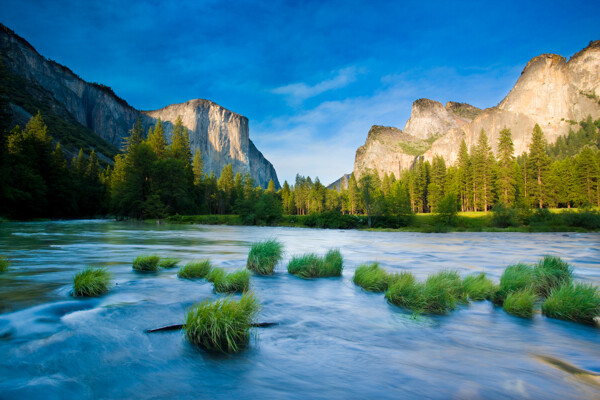
The result achieved is
 TO
TO
You can see that every detail in the image has been greatly enhanced from the coloring of the sky to the details of the shadow.
By adjusting the tone curve of Local Adaption in the HDR Conversion menu you can get a more realistic image like the one below. It’s up to you on what kind of image you want a great looking image like the one above or a more realistic image. Both are definitely way better than the original image it’s only about how much of the magical touch you want to add.

Hope you enjoyed this article. Your comments are most welcome and if you have something more or any new things on HDRI please do share with me.
Other professional HDR Images